

Styling#
At present the application is functional, but needs styling and making the application more user friendly. The input for both the quiz name and question have poor feedback, it is difficult to tell whether the text input is ready to be used. Whenever a fault is made the user requires better feedback on what is the problem.
As far as possible make the styling in css files placed under the folder static/css.
Flash Messaging#
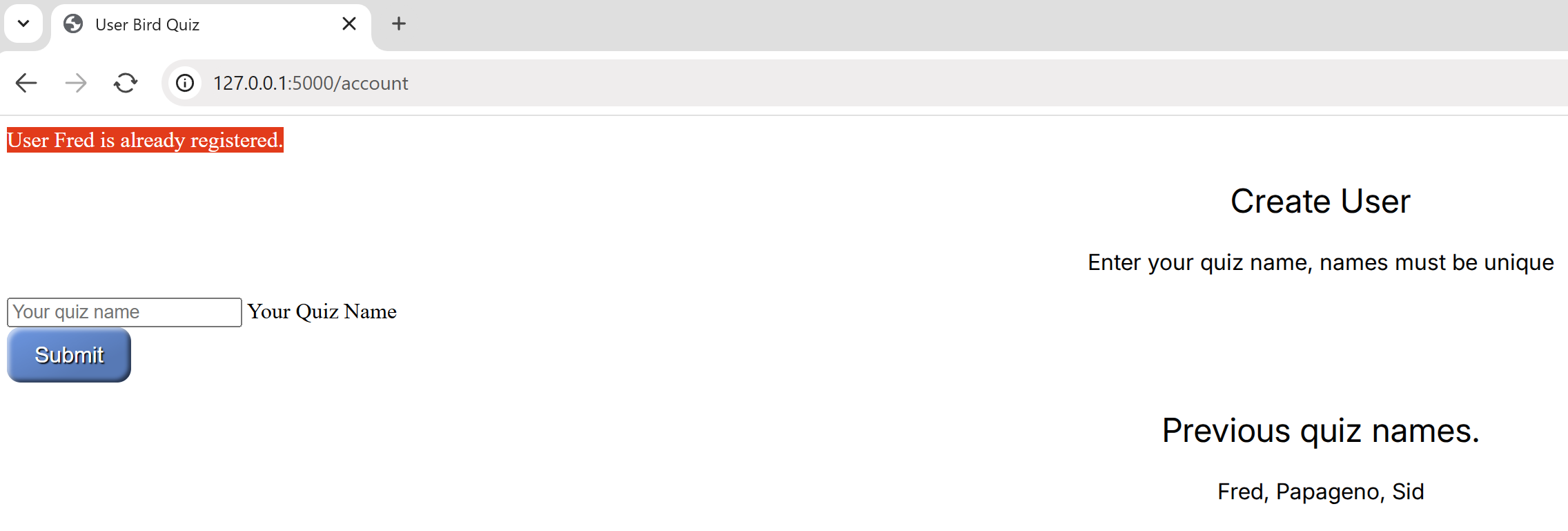
Flask has a feedback system called flash. These have optional categories success, error, info and warning. A message is generated within the application and is then displayed at the relevant template. An error or warning message displays at the template where the problem arises, but a success or info message will often occur at the next template, depending on the application logic. Since all templates might display a message the mechanism to display can be delegated to base.html.
Flash has to be imported into bird.py and requires a hidden key, this is already covered by our config.py.
To make the messages standout apply a style. This can be part of a general style file. If we treated all messages alike as errors, say, then our template needs a Jinja method to display:
<h1>Flashing messages</h1>
{% for message in get_flashed_messages() %}
  <div class="alert-error">Error: {{ message }}</div>
{% endfor %}
and we only need one method in our styling file, place this in base.html just before the call for {% block content %}:
.alert-error {
   background-color: red;
   color: white;
}
Since we wish to have different categories we need to change our methods in base.html:
{% for category, message in get_flashed_messages(with_categories=True) %}
   <div class="alert-{{category}}">Message: {{ message }}</div>
{% endfor %}
and our styling becomes:
.alert {
   display: inline-block;
   padding: 12px;
   border-radius: 3px;
   font-size: 1.2rem;
   margin-bottom: 16px;
   border-width: 2px;
   border-style: solid;
}

.alert-error {
   display: inline-block;
   border-color: darkred;
   background-color: red;
   color: white;
}

.alert-warning {
   display: inline-block;
   border-color: orange;
   background-color: yellow;
   color: black;
 }

.alert-info {
   display: inline-block;
   border-color: blue;
   background-color: cyan;
   color: black;
 }
Create a style sheet applicable to all templates, place it in the static folder in its own sub-folder css. The first entry of all.css will style the flash messages.
By now your files should be as follows:
Flask
   ├──static
   │   ├──css
   │   │  └──all.css
   │   │
   │   └──songs
   │      ├──Common Cuckoo.wav
   │      ├──Common Wood Pigeon.wav
   │      ├──Eurasian Blue Tit.mp3
   │      ├──Eurasian Skylark.mp3
   │      └──European Green Woodpecker.mp3
   │
   ├──templates
   │  ├──index.html
   │  ├──base.html
   │  ├──quiz.html
   │  ├──result.html
   │  ├──final.html
   │  └──account.html
   │
   ├──bird.py
   ├──venv
   ├──config.py
   └──quizbird.csv
Another change to base.html is to add a link to our newly made style file all.css, put it in the <head> section, use the Jinja format to point to the stylesheet:
<link rel="stylesheet" type="text/css" href="{{url_for('static', filename='css/all.css')}}" />
Modern Font#
Let's ensure that all the fonts are of a modern unified look, load up the google Inter font. Put the following lines into base.html just before the link to the stylesheet link:
<link rel="preconnect" href="https://fonts.googleapis.com">
     <link rel="preconnect" href="https://fonts.gstatic.com" crossorigin>
     <link href="https://fonts.googleapis.com/css2?family=Inter:ital,opsz,wght@0,14..32,100..900;1,14..32,100..900&display=swap" rel="stylesheet">
Now we can use the font in our stylesheet, all.css:
/*
// <weight>: Use a value from 100 to 900
// <uniquifier>: Use a unique and descriptive class name
// when in css file keep all the types (h1..h3) separate,
// can join when used in html page
// keep the types in size order
*/

h1 {
   font-family: "Inter", sans-serif;
  font-optical-sizing: auto;
  font-weight: 500;
  font-style: normal;
  text-align: center;
  font-size: 40px;
  }

h2 {
  font-family: "Inter", sans-serif;
  font-optical-sizing: auto;
  font-weight: 400;
  font-style: normal;
  text-align: center;
}

h3 {
   font-family: "Inter", sans-serif;
   font-optical-sizing: auto;
   font-weight: 500;
   font-style: normal;
   text-align: center;
   font-size: 20px;
}

p {
   font-family: "Inter", sans-serif;
   font-optical-sizing: auto;
   font-weight: 400;
   font-style: normal;
   text-align: center;
}
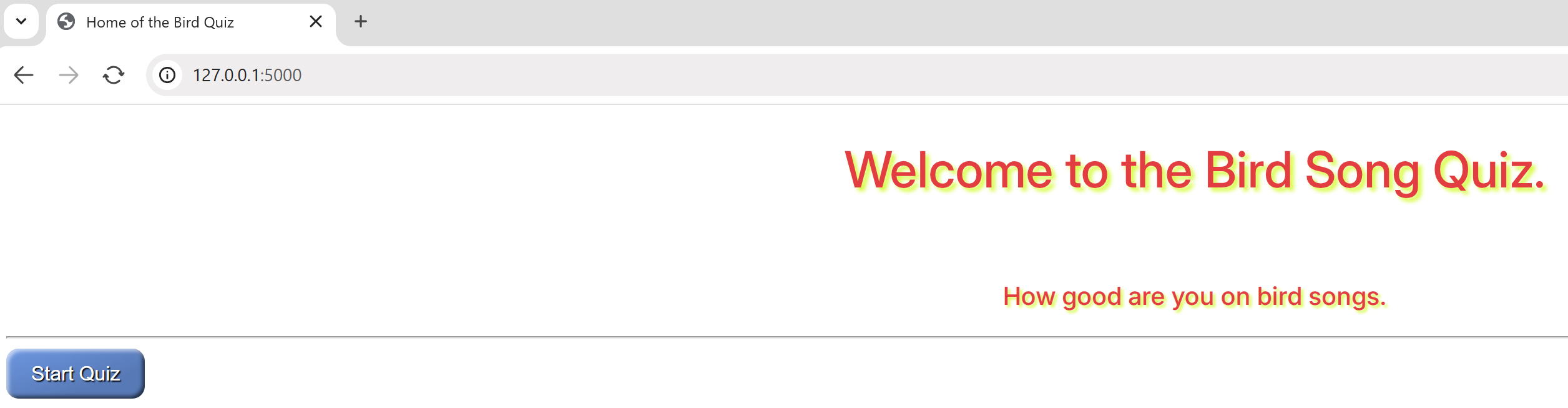
So that index.html is a bit more eyecatching put a shadow behind the lettering, use class "shadow", remove the inline styling <font color>:
<h1 class="shadow">Welcome to the Bird Song Quiz.</h1> <br> <h3 class="shadow">How good are you on bird songs.</h3>
Now add the h1.shadow and h3.shadow to all.css:
 h1.shadow {
font-family: "Inter", sans-serif;
font-optical-sizing: auto;
font-weight: 500;
font-style: normal;
text-align: center;
font-size: 40px;
 text-shadow: 3px 3px 3px #ccff02;
 color: #ff073a;
 }

h3.shadow {
font-family: "Inter", sans-serif;
font-optical-sizing: auto;
font-weight: 500;
font-style: normal;
text-align: center;
font-size: 20px;
 color: #ff073a;
 text-shadow: 2px 2px 2px #ccff02;
 }
If we were to run the application the Flash messaging would be in a default font style, adapt the stylesheet as follows:
.alert {
   display: inline-block;
   padding: 12px;
   border-radius: 3px;
   font-family: "Inter", sans-serif;
   font-optical-sizing: auto;
   font-weight: 900;
   font-style: normal;
   font-size: 1.2rem;
   margin-bottom: 16px;
   border-width: 2px;
   border-style: solid;
}
Buttons instead of Links#
A good looking button is better than an html link. The button's pattern is borrowed from mdn Mozilla. Use a blue button for sequential links and a grey button for the reset/return to the home page, add to all.css:
.button {
   border: 0;
   height: 75 px;
   line-height: 2.5;
   padding: 0 20px;
   font-size: 1rem;
   text-align: center;
   color: #fff;
   cursor: pointer;
   text-shadow: 1px 1px 1px #000;
   border-radius: 10px;
   background-color: rgba(87, 153, 230, 1); /* blue */
   background-image: linear-gradient(
      to top left,
      rgba(0, 0, 0, 0.2),
      rgba(0, 0, 0, 0.2) 30%,
      rgba(0, 0, 0, 0)
   );
   box-shadow:
      inset 2px 2px 3px rgba(255, 255, 255, 0.6),
      inset -2px -2px 3px rgba(0, 0, 0, 0.6);
}

.blue {
       background-color: rgba(87, 153, 230, 1);
       color: white;
       height: 75 px;
}

.blue:hover {
   background-color: rgba(71, 97, 229, 1);
}

.blue:active {
   box-shadow:
      inset -2px -2px 3px rgba(255, 255, 255, 0.6),
      inset 2px 2px 3px rgba(0, 0, 0, 0.6);
   }

.grey {
       background-color: rgba(110, 117, 125, 1);
       color: white;
   }

.grey:hover {
   background-color: rgba(44, 65, 102, 1);
   }

.grey:active {
   box-shadow:
      inset -2px -2px 3px rgba(255, 255, 255, 0.6),
      inset 2px 2px 3px rgba(0, 0, 0, 0.6);
   }
|
|
|
index |
account |
duplicate |
|
|
|
|
quiz |
right |
wrong |
final |
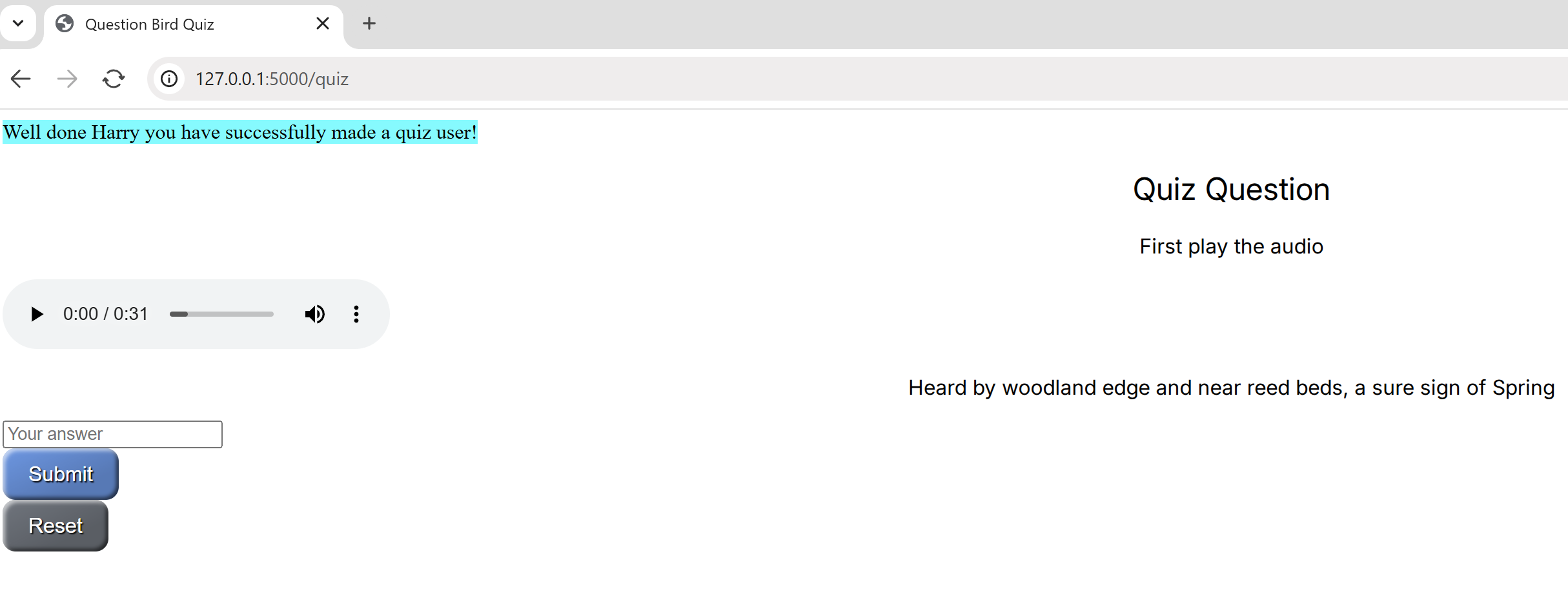
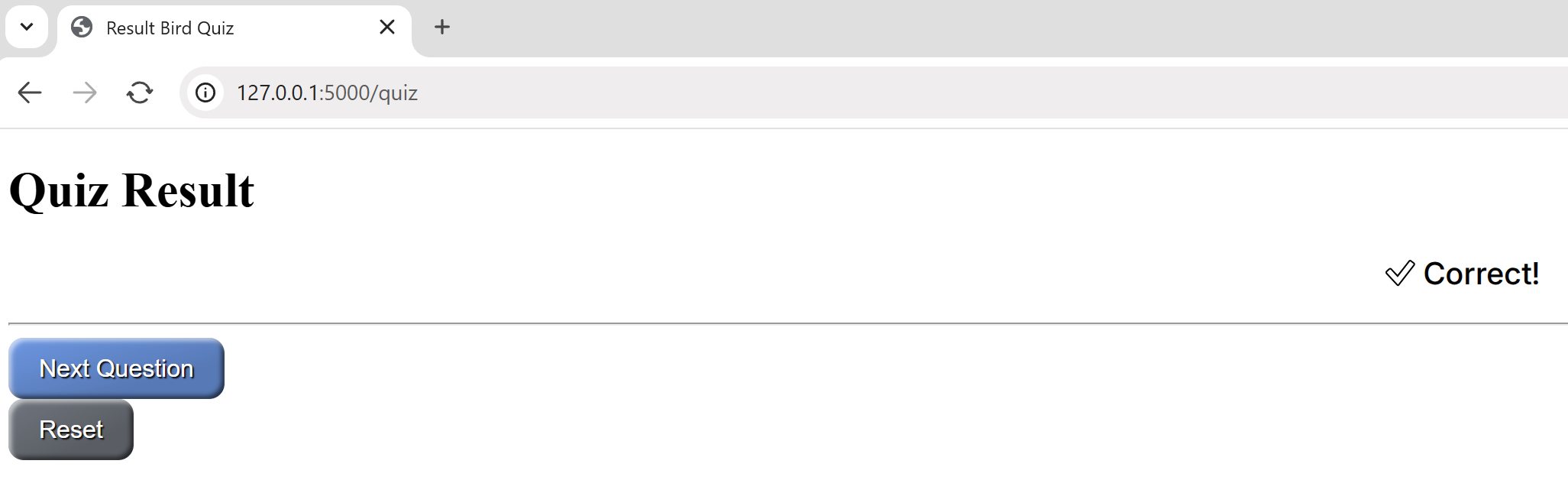
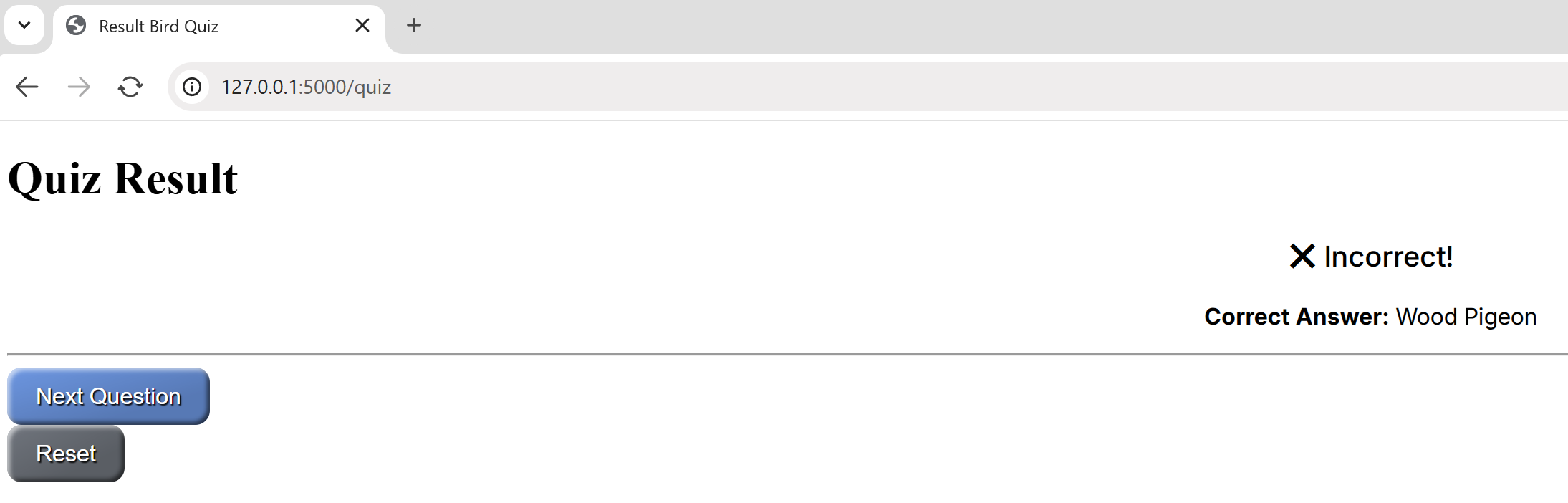
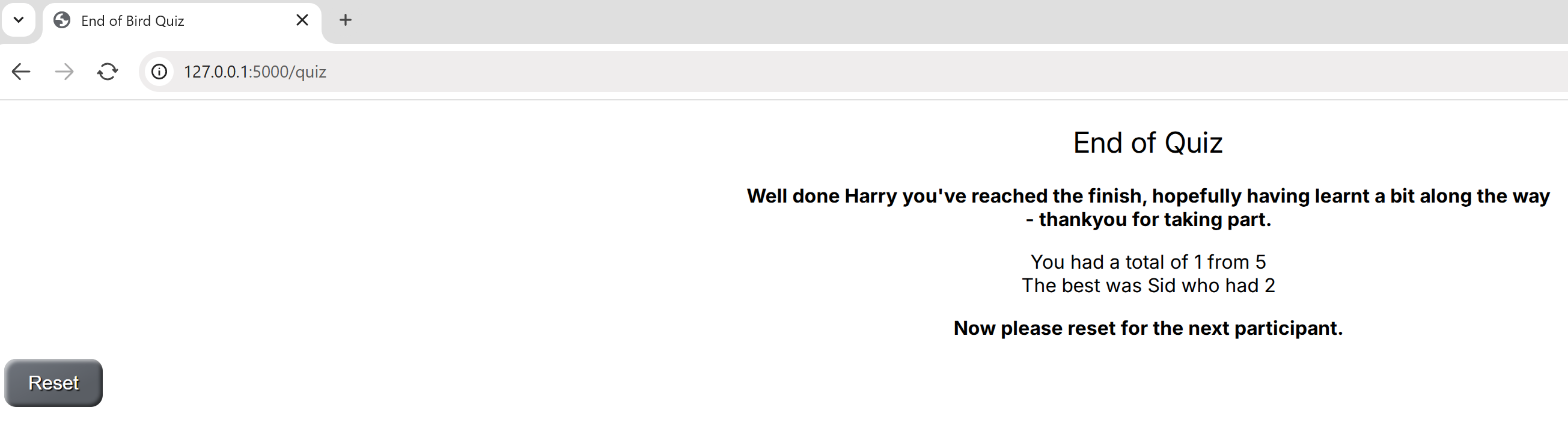
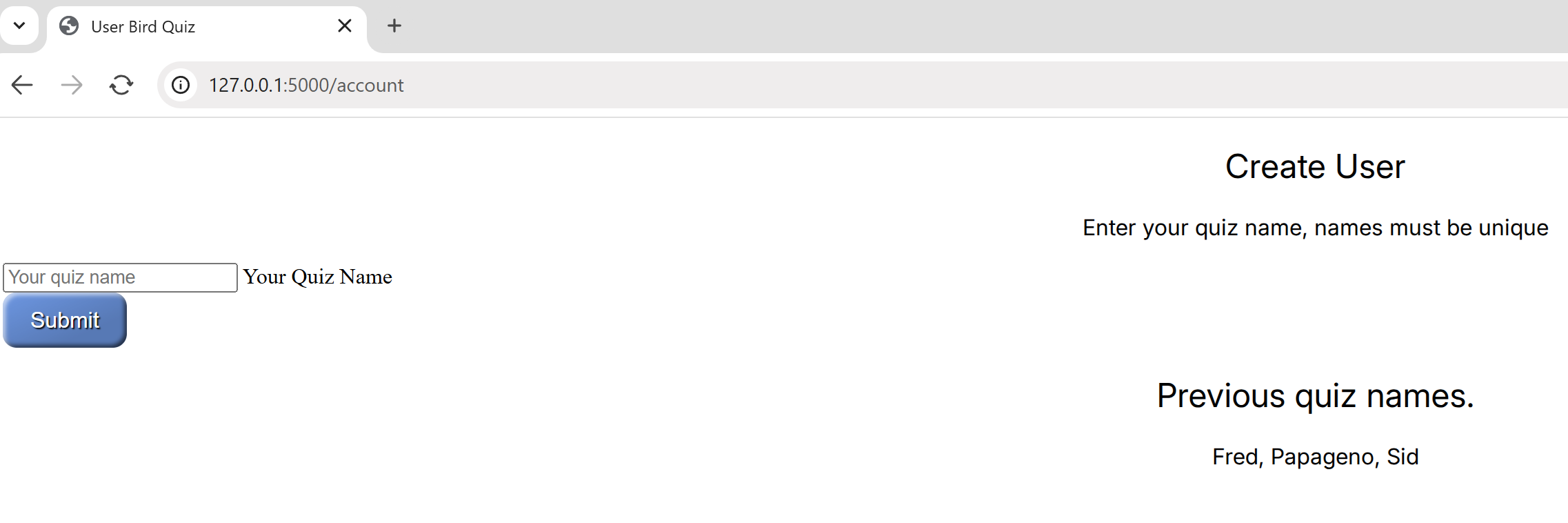
Much of the styling is in place, but we can see odd bits are not centralised nor is the input in the forms user friendly. The buttons could be better positioned to each other and against the text of each template. Let's see what we can do.